

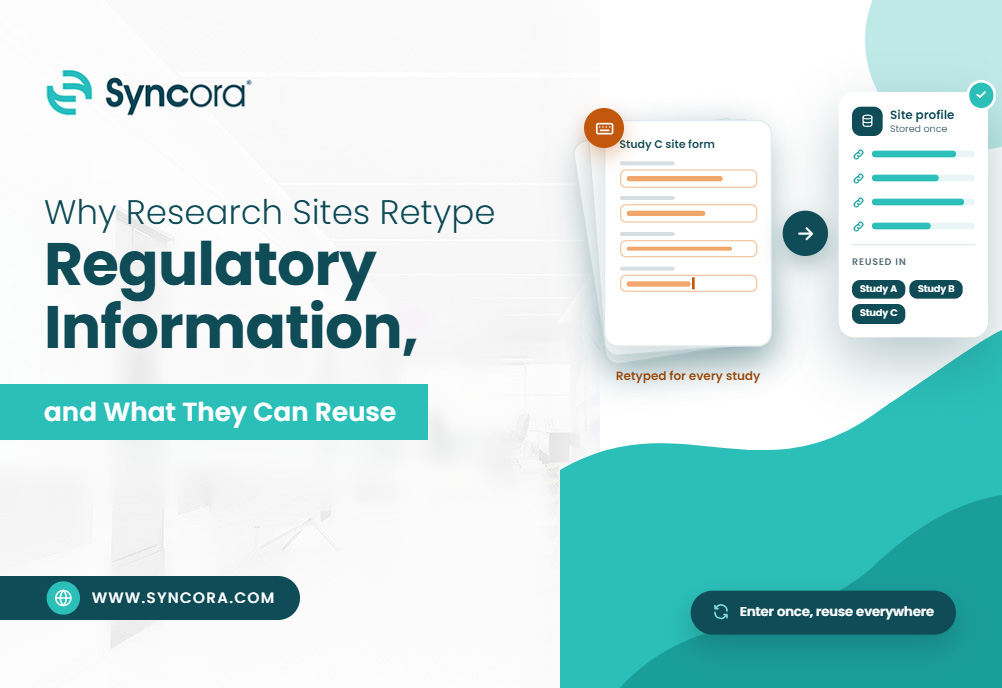
Every new study brings a new regulatory packet, but not every answer needs a rebuild. Many clinical research regulatory details already sit in verified records. The trick is knowing which ones can carry forward.
Key Takeaways
- Repeat typing comes from mismatched sponsor templates, scattered files, and doubt about which record is current.
- Investigator and site details can often be reused after you check accuracy and fit.
- Form FDA 1572 needs a study-specific review. Do not carry over labs, facilities, or subinvestigators unchecked.
- Storing a document and prefilling a form are different features.
- Reuse verified source data. Never reuse a signature from another document.
Quick Answer:
Sites retype regulatory information because sponsors use different templates and records live in many places. Staff would rather retype than copy from a source they doubt. You can reuse stable facts, such as investigator contact details, site addresses, and CVs, after you verify them. However, protocol details, delegation logs, and signatures must come from the current study. Form 1572 also needs a fresh review each time. A central record helps, and CTMS software can prefill clinical trial regulatory documents from it. Even so, a person should check every populated field before anyone signs.
Introduction
Ask any study coordinator what slows start-up, and paperwork comes up fast. The hard parts, like protocol review, are not the problem. The repeat parts are. The same license, the same lab name, and the same CV details get typed into one more form. Teams retype to stay safe, and that habit eats hours.
This guide explains why it happens. You will learn which answers you can reuse, which ones need a check, and how a clear process shortens the work.
Why Do Research Sites Keep Retyping the Same Information?
A new packet can ask for familiar facts in an unfamiliar format. One sponsor sends a questionnaire, another uses a portal, and a third wants a spreadsheet. Even when answers have not changed, staff must find the source, confirm it, and fit it to the template.
Different Templates Create Duplicate Work
Sponsors and CROs use different field names, formats, and submission steps. Copying an answer is hard when one form merges what another splits. A site address might fill one field in a questionnaire and four in a portal. The information is reusable. Still, someone must confirm that it maps to the right fields. That check takes time, so many teams retype instead.
Scattered Records Make Verification Harder
CVs, licenses, training records, and site details often sit in email attachments and shared folders. Staff then struggle to find the approved version.
Retyping can feel safer than copying from an unclear source. However, it does not fix the real problem. The site still needs one reliable record to check each answer against. Without it, every packet starts from zero.
Signed Documents Need a Separate Workflow
Preparing a document and entering its facts are two different tasks. Staff can fill a new draft with verified information. That does not mean a past signature can move to the new form. Each document needs its own review and its own signing. Keeping data prep apart from review and execution keeps the process clear.
Which Regulatory Information Can Sites Reuse?
The best question is not “Can we copy this?” Ask instead whether the information is accurate, applicable, and acceptable for this study. That leads to three groups. You can reuse some facts after verification. You must confirm others for the current study. You must prepare or sign the rest fresh.
Investigator Details and Supporting Records
Investigator names and contact details give you a starting point for new forms. CVs and qualification records can also carry over after review. Do not treat a CV as if it expires on a set date. FDA’s Form 1572 guidance says CVs need not be signed, dated, or updated during a study. A sponsor may still set its own rules, so check each packet. Review training records against what each study requires.
Site, Laboratory, and IRB Information
You can keep addresses and contacts in one central reference record. Still, confirm each use on a given form. On Form 1572, listed facilities and labs must be involved in the investigation. The listed IRB must also be responsible for reviewing the study. A correct address alone does not prove the organization belongs on the form. FDA’s guidance explains this basis.
Protocol Information, Study Logs, and Signatures
Pull protocol titles and numbers from the current protocol, not an old packet. In the same way, a past delegation log should not become the log for a new study. A blank template gives you structure. The entries must reflect current duties. Never move a prior signature or execution date into a new document.
Regulatory Information Reuse Matrix
Use this matrix as a review aid next to the rules and sponsor procedures that apply to you.
| Information or document | Reuse approach | What to check |
|---|---|---|
| Investigator name and contact details | Reuse after verification | Accuracy and recent changes |
| Professional license information | Reuse after verification | Current status, expiry, and study requirements |
| Investigator CV | Reuse with review | Accuracy and sponsor requirements |
| GCP training evidence | Review before reuse | Required training, acceptance criteria, and renewal |
| Site address and contacts | Reuse after verification | Current details and relevance to the study |
| Laboratory details and records | Confirm study applicability | Correct lab, relevant services, and document versions |
| IRB details | Confirm study applicability | Board responsible for the current study |
| Subinvestigator names | Confirm study applicability | Current roles and involvement in the investigation |
| Protocol title and number | Study-specific | Match the current protocol |
| Delegation log | Prepare for the current study | Actual duties and dates |
| Signatures and execution dates | Execute as required | Correct document, authorized signer, and actual date |
Where Does Form FDA 1572 Fit In?
Form FDA 1572 is the Statement of Investigator. It gives the sponsor details about the investigator and site. It also records the investigator’s commitment to follow applicable FDA requirements. You need it for drug and biologic studies under an Investigational New Drug application (IND), not for every study. Device studies do not use it.
What Information Does the Form Collect?
The form covers investigator details and qualifications, research facilities, laboratories, the responsible IRB, subinvestigators, and the protocol. The investigator must review it and understand the commitments before signing. This gives you room to reuse verified source details. It does not let you skip study decisions. For example, you can store a lab’s verified name and address once. Staff must still confirm that the lab supports this investigation.
How Can Sites Reuse 1572 Information Safely?
Start by filling established details from verified source records. Next, choose facilities, labs, and staff based on the current study. Then enter protocol information from the current protocol. Review the draft against study records, and have the investigator sign and date it by an acceptable method. The delegation log helps confirm roles, but it need not match the 1572 line for line. FDA’s guidance ties subinvestigator listing to each person’s role in the investigation.
Does Every Change Require a Newly Signed 1572?
No. FDA’s guidance calls for a new signed form when you add a new protocol to the IND or add a new investigator. Other changes work differently. Adding a subinvestigator or lab, or changing an IRB address, calls for a note in study records and notice to the sponsor. Those changes alone do not require a revised or newly signed form under that guidance. Follow your sponsor’s procedures for the regulatory packet too.
How Should Sites Organize Reusable Records?
Keep shared reference data apart from study-specific files. A shared area can hold verified investigator profiles, site contacts, and supporting records. Each study’s file then holds or points to the right documents under your document-control rules. This is the logic behind a well kept regulatory binder, on paper or online.
Build a Regulatory Binder Checklist
A study checklist helps staff track key records. Common items include:
- Investigator qualifications and licenses
- Training documentation
- Investigator agreements
- IRB approvals and correspondence
- Laboratory documentation
- Delegation records
- Study updates and communications
Compare the list with the protocol, applicable rules, and sponsor instructions. Treat it as a working tool, since one list will not fit every study.
Assign Ownership and Preserve Document History
Give each reusable record an owner and a review schedule. Separate two actions: updating a shared record and changing a study record. Before you replace or relink a document, check whether the study must keep the earlier version. The goal is not to keep the newest file. It is to show which information you used, where you used it, and what changed.
What Should Sites Look for in Software?
Document storage, structured data, and form generation solve different problems. An electronic regulatory binder may store files well but not prefill forms. Likewise, clinical trial management software may track studies without handling regulatory documents.
Ask whether CTMS software keeps structured investigator and site profiles. Ask which templates support prefilling and whether staff can review fields before signing. Also check permissions, version history, and expiry reminders. Clinical study software should keep study records intact when shared data changes. Finally, request a demo using a real regulatory packet.
How to Build a Reuse Workflow
Start with a small set of repeated fields, not every document at once.
- List the details staff retype and where they appear.
- Mark each as reusable after verification, needing a study check, or study-specific.
- Assign an owner, record the source, and set review triggers.
- Test with one study. Log missing fields, mapping problems, and sponsor queries.
- Adjust templates and roles, then measure results before you claim time savings.
Frequently Asked Questions
What is the 1572 FDA form?
It is the Statement of Investigator. It lists the investigator, facilities, labs, IRB, subinvestigators, and protocol, and it records the investigator’s commitment to follow FDA requirements. Sponsors require it for drug and biologic studies under an IND, not for device studies.
Can you reuse Form 1572 information across studies?
You can reuse verified source facts, such as contact details. You cannot reuse study-specific items, such as protocol information. Recheck labs, the IRB, and subinvestigators each time. Never carry over a signature.
Does every change need a newly signed 1572?
No. A new protocol added to the IND or a new investigator calls for a new signed form. For other changes, FDA advises documenting them in study records and informing the sponsor.
What is a regulatory binder checklist?
It lists the records a study needs on file, such as qualifications, training, IRB approvals, lab documents, and delegation records. It works the same in a paper or electronic regulatory binder. Compare it with the protocol and sponsor instructions.
Can CTMS software prefill regulatory forms?
Some systems can, if they keep structured investigator and site profiles. Storing a document alone does not fill a form. Staff should still review every field before signing.
Conclusion
You do not have to choose between retyping everything and copying without checks. Start from verified source records, confirm what fits the current study, and keep each document’s review and signing steps.
Clear ownership and document control matter more than any single tool. Begin with one study and build from there.
To see how a central system handles this, book a Syncora demo and ask to see your own profiles, templates, review steps, and document history.


