

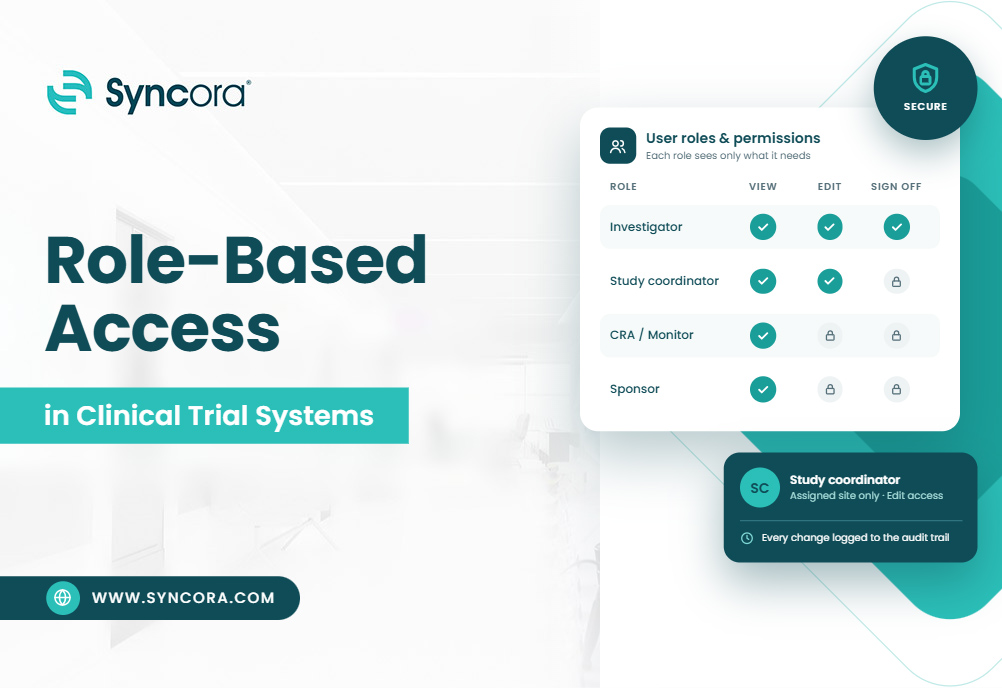
Every study team shares data, but not everyone should see everything. This guide shows how role based access control keeps your trial safe and your start-up moving.
Key Takeaways
- Role based access control gives each person only the tools their job needs.
- Clear permissions protect patient data and cut errors at your site.
- Strong audit trail requirements prove who did what, and when.
- A central platform makes setup faster and reviews easier.
Quick Answer:
Role-based access control (RBAC) gives each trial team member system access based on their job role. Instead of setting permissions person by person, you assign a role, such as principal investigator or coordinator. Each role can only view, edit, or approve the records it needs. This keeps patient data private and cuts the risk of errors. The system also logs every action, so regulators can see who did what and when. As a result, your team stays compliant, and inspections go more smoothly for every study site. In short, the right people see the right data, and nobody else does.
Introduction
A new coordinator joins your study on Monday. By Tuesday, she can edit consent records she should only read. Sound familiar? Small gaps like this cause real findings during inspections.
Moreover, they slow your start-up when you fix them later. Good access control clinical research sites use protects patients, data, and timelines. Read along to find out which roles exist, which rules apply, and how to set it all up.
What Does Role-Based Access Mean for Your Trial?
Before you build a permission model, you need the basic idea. Let’s start with the plain version.
How does role based access control work in simple terms?
Think of a hospital badge. A nurse opens the ward but not the pharmacy vault. Role based access control works the same way in your study system. You assign each user a role, and the role holds the permissions. Consequently, clinical trial user permissions change in one place, not fifty. Therefore, you save time every time staff change.
Why do sites, CROs, and SMOs need it?
Every group in a trial needs different data. Sites handle patient records, while CROs review monitoring data. Similarly, SMOs manage many sites at once. Without clear rules, access control clinical research needs becomes a pile of one-off requests. Moreover, one wrong permission can expose patient data or break blinding. Therefore, you need rules that scale across every study.
Who Gets Access to What?
Roles are the building blocks of your setup. So, let’s look at who sits on a typical study team.
Which roles exist in a typical study team?
Most studies share a core set of roles, and each needs its own clinical trial user permissions. The principal investigator holds final responsibility for the study. Sub-investigators and coordinators handle daily tasks and patient records.
Meanwhile, regulatory specialists manage essential documents and approvals. On the sponsor side, CRAs and data managers review and query data. Finally, auditors get read-only views, so they can check records without changing them.
What do clinical trial user permissions look like by role?
The table below shows a common starting point. Adjust it to match your protocol and your sponsor’s rules. Role based access control makes these settings easy to repeat across studies.
| Role | Typical Access Level | Can View | Can Edit | Can Approve |
|---|---|---|---|---|
| PI | Study-wide | All site data | Own sign-offs only | Yes |
| Sub-I | Patient-level | Assigned patients | Assigned visit data | No |
| Study Coordinator | Patient-level | Assigned patients | Visit and source data | No |
| CRA/Monitor | Read-only plus queries | Site data, blinded | Queries only | No |
| Regulatory Specialist | Document-level | Essential documents | Document records | Yes, for filings |
| Data Manager | Data-level | All study data | Data cleaning | Yes, for query closure |
| Sponsor/CRO Admin | System-level | Study settings, user lists | User roles, settings | Yes, for new users |
| Auditor | Read-only | Records in scope | None | No |
How Does Access Control Protect Data and Meet Rules?
Permissions do more than organize your team. They also protect patients and keep you inspection ready.
How does it limit data access in clinical trials?
The core rule is simple: give people the least access they need. Role based access control applies that rule automatically. A coordinator at Site A cannot see patients at Site B. Likewise, a monitor cannot view unblinded treatment data. Strong limits on data access clinical trials rely on also reduce privacy risk. Consequently, you protect both patient trust and study integrity.
What audit trail requirements apply?
Regulators want proof of who did what, and when. Audit trail requirements call for a secure, time-stamped record of every change. The record must show the user, the date, the old value, and the new value. Importantly, users must not be able to edit or delete that record. Therefore, you should tie each login to one named person. Shared accounts break this rule and invite findings.
Which regulations shape your permission setup?
Several rules guide how you set permissions. ICH GCP expects only qualified, delegated staff to handle trial data. Meanwhile, 21 CFR Part 11 sets standards for electronic records and signatures. HIPAA protects patient health information in the United States. Similarly, GDPR covers personal data of people in the European Union. Together, these rules shape audit trail requirements and the access control clinical research sites must show.
How Do You Set Up Access the Right Way?
Good setup takes planning, but it is not hard. Start with the steps below.
What are the steps to build a permission model?
Follow these five steps to build a clean model.
- List every task your team performs in the system.
- Group those tasks into roles, such as coordinator or monitor.
- Set role based access control rules using the least access needed.
- Test each role with a sample user before go-live.
- Document the model so sponsors and auditors can review it.
As a result, your clinical trial user permissions stay clear and repeatable.
How should user management clinical trial software handle onboarding and exits?
People join and leave studies all the time. Good user management clinical trial software adds new users fast and removes old ones faster. At onboarding, the system should confirm training and delegation before it grants access. Similarly, at exit, it should disable the account the same day. Furthermore, regular reviews catch stale clinical trial user permissions before an auditor does. Quarterly checks work well for most sites.
What mistakes do sites make most often?
Some errors show up again and again. Sites often share one login across a whole team. Others give broad access just to save time. In addition, many forget to remove staff who left months ago. These habits weaken your user management clinical trial software setup and raise your risk. Consequently, one small shortcut can become a costly inspection finding.
How Does Better Access Control Speed Up Start-Up and Cut Cost?
Access control also affects your timeline and budget. Here is where the hidden costs sit.
Where do delays and extra costs come from?
Manual access requests slow down site activation. A coordinator waits days for a sponsor to approve one login. Meanwhile, start-up managers chase emails across many systems. Poor user management clinical trial software forces staff to repeat these steps for each study. Additionally, rework after an inspection finding costs real money. Reusable roles and clear clinical trial user permissions cut that waste.
How does Syncora handle role-based access?
Syncora puts role based access control inside one start-up platform. You build a role once and reuse it across studies and sites. Moreover, the system logs every action to meet audit trail requirements. Your team can add or remove users quickly. As a result, site directors spend less time on admin and more time on patients. Our user management clinical trial software also shows sponsors who holds access.
Frequently Asked Questions
What is role based access control in a clinical trial?
Role based access control gives system permissions by job role, not by person. Each role, like coordinator or monitor, holds set rights to view, edit, or approve data. This keeps access consistent and limits errors.
Who should have access to trial data?
Only trained, delegated staff should see trial data, and only the parts their job needs. Typically, that means the PI, sub-investigators, coordinators, monitors, and data managers. Limit data access clinical trials allow to the minimum each role needs.
What are audit trail requirements in clinical research?
Audit trail requirements call for a secure, time-stamped log of every data change. The log shows who acted, when, and what changed. Users cannot edit or delete it, and each person needs a unique login.
How often should you review user permissions?
Review clinical trial user permissions at least every quarter. Also review them when staff join, leave, or change roles. Furthermore, check access before each audit or monitoring visit.
Does access control help with inspection readiness?
Yes. Clear roles, unique logins, and complete audit logs show inspectors that you control your data. Consequently, you answer questions faster and face fewer findings.
Conclusion
Role based access control is a simple idea with big results. It protects patients, keeps data clean, and makes inspections less stressful. Moreover, you do not need to rebuild your setup for every study. Start by mapping your roles, then reuse them across sites. You hold more control over start-up than you think.
Syncora helps your team build this in one place, so you can focus on patients and timelines. Faster, safer start-up means patients reach new studies sooner. Talk to us about setting up role-based access for your next trial.


