
Bring every site, contact, and requirement into one connected workspace, so your teams activate sites sooner, stay audit-ready, and start every study with total confidence.







Give every site a confident start.
Syncora’s Site Startup gives every site one connected home. Clinical trial site management software organizes site details, contacts, investigators, and requirements, so teams activate sooner, share clear progress, stay audit-ready, and open every study with sites fully prepared to enroll.

Clarity

Confidence

Structure

Speed
Book A Consultation
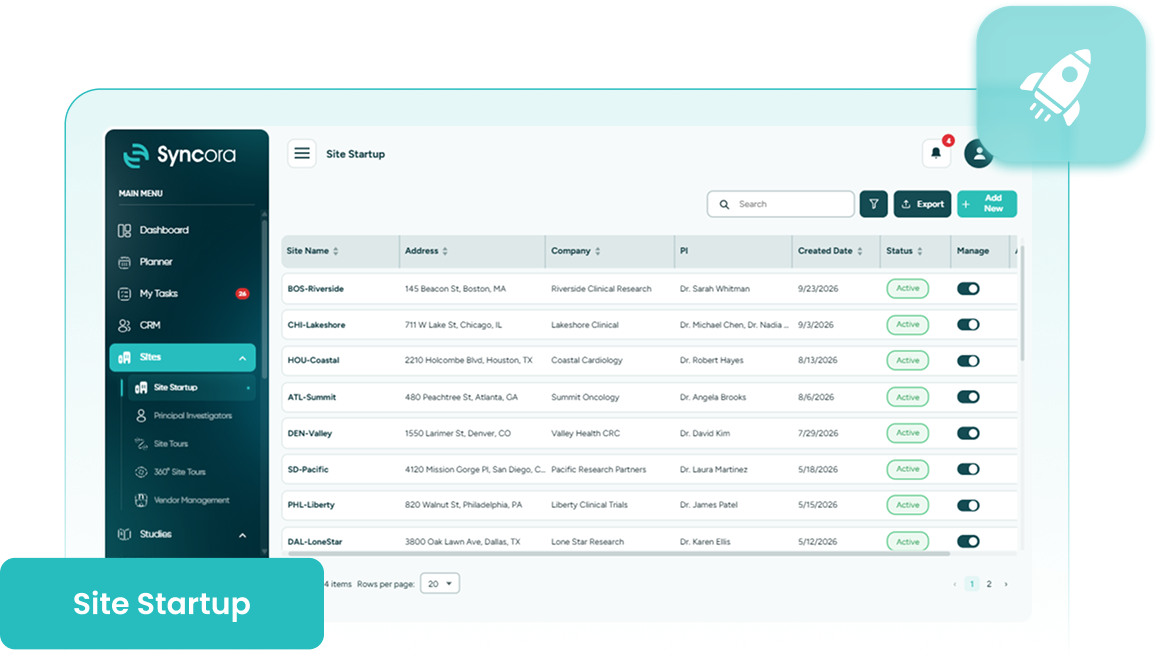
Is your site status buried in spreadsheets?
Site requirements hide in spreadsheets; updates sit in unanswered emails, and nobody is sure who owns the next step. Activation drags, data gets retyped, and approvals stall at the last minute.
Teams burn hours chasing status while impatient sponsors wait. Syncora’s site activation tracking puts every requirement in one shared view, so sites open prepared.
Explore Syncora
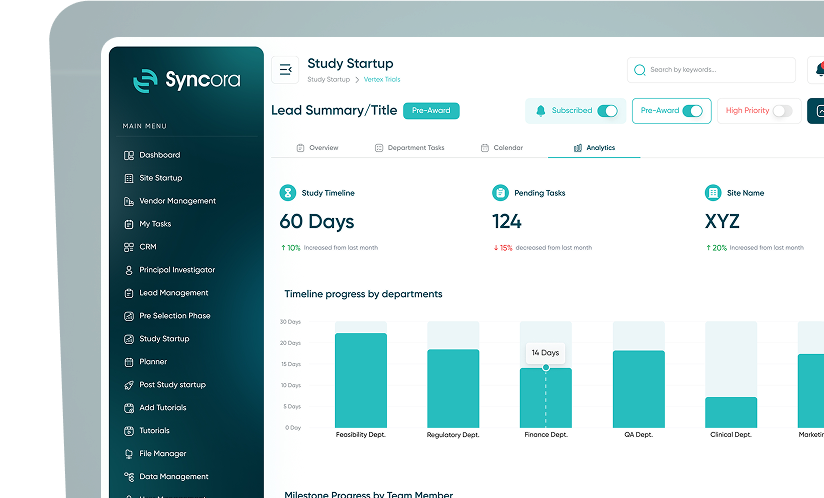
Inside Site Startup
Site Management
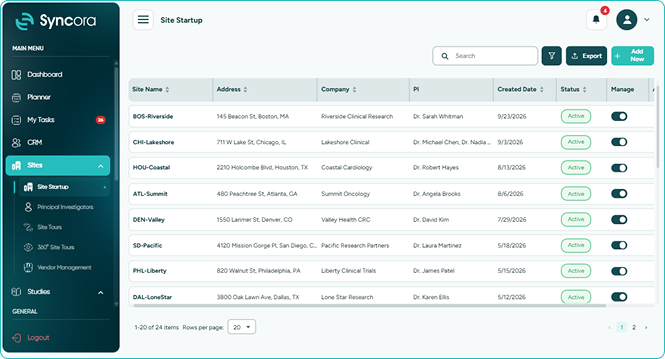
Keep one reliable record for every research site, including details, staff, linked investigators, and vendors, while scoped access shows each site user only what is relevant to them.
- Maintain a single source of truth.
- Streamline site readiness tracking before activation.
- Control site access while retaining oversight.
Book a Demo
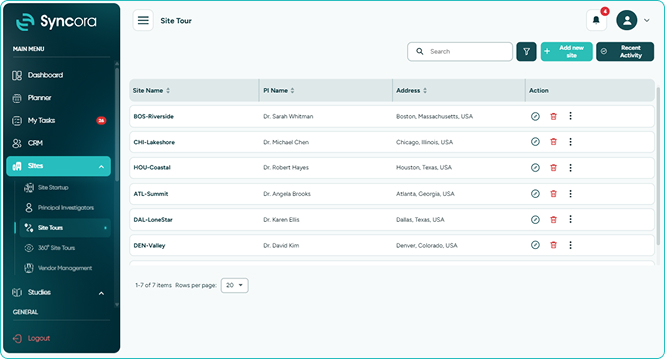
Principal Investigators
Replace scattered CVs and spreadsheets with investigator management software that unites PI contacts, credentials, site affiliations, and study history, so teams always know who they are working with.
- See every PI’s credentials and history.
- Evaluate investigators faster for new opportunities.
- Reuse details across studies, leads, and documents.
Book a Demo
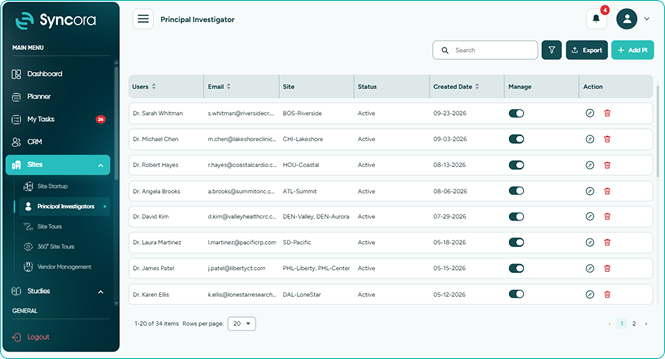
Site Tour
Present your site at its best with a polished, shareable landing page. Add images and descriptions under set sections, and Syncora builds a professional virtual tour for sponsors.
- Impress sponsors before any visit happens.
- Launch pages with zero design skills.
- Keep every site consistent and professional.
Book a Demo
How it works
Four simple steps to site readiness.
-
1Start a new site record
-
2Complete site info and offices
-
3Add investigators and hospital details
-
4Log capabilities and review sites
Go to Sites, open Site Startup, then select Add New.
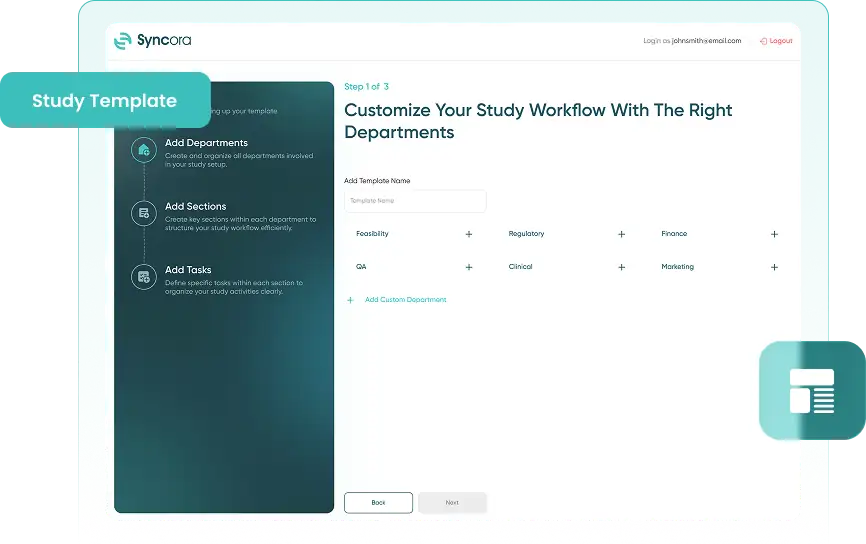
Enter accurate company and office details, then save each tab.
Include sub-investigator and hospital information where relevant, then save.
Log space, storage, and equipment, then save and review every site.
Book a Demo
Built for your team

Regulatory Affairs Teams
Keep credentials, documents, and approvals organized, so every activation requirement stays inspection-ready.

Site Activation Specialists
Guide sites through requirements with site onboarding feature, so activation keeps moving without chasing updates.

Clinical Research Associates
Coordinate and track all requirements that must be met before a site is activated, keeping site readiness clear and organized in one place.
Why not simplify site startup?
Faster activations begin with better information. Talk to our specialists about Syncora Site Startup and find out how connected records, clear ownership, and shared progress help new studies open with full confidence.
Talk To Our Team
Why startup chaos slows studies

Without dedicated site activation software, teams lose weeks to fragmented files, repeated follow-ups, and unclear progress updates. Clinical trial site management software gives every stakeholder shared visibility, consistent processes, and a complete activity record, so sites open sooner and studies keep their momentum.
✔ Launch sites sooner
Activate sites faster with every requirement visible in one place.
✔ Enter data once
Eliminate duplicate data entry and reclaim hours for meaningful work.
✔ Maintain complete records
Stay audit-ready with a complete, traceable record of all activity.
30
% ↓
Faster site activation cycles
25
% ↑
Less time chasing updates
40
% ↑
Visibility across every site
Frequently Asked Questions
What is Site Startup in Syncora?
Site Startup is a connected workspace for managing site details, investigators, requirements, and readiness, so teams coordinate every step from selection to activation in one place.
What does Site Tour do?
Site Tour turns images and descriptions into a polished, shareable landing page, giving sponsors a clear picture of your facilities, team, and capabilities before any visit.
How does Investigator help my team?
Investigator stores PI contacts, credentials, site affiliations, and study history in one profile, so teams can evaluate investigators and reuse details without retyping them.
What information can I store in Site Management?
Site Management holds site details, staff, linked investigators, and vendors in one record, giving every team a single, reliable source of site information.
Can site users see only their own information?
Yes. Access can be scoped by site, so site users see only what is relevant to them while central teams keep network-wide oversight.


