
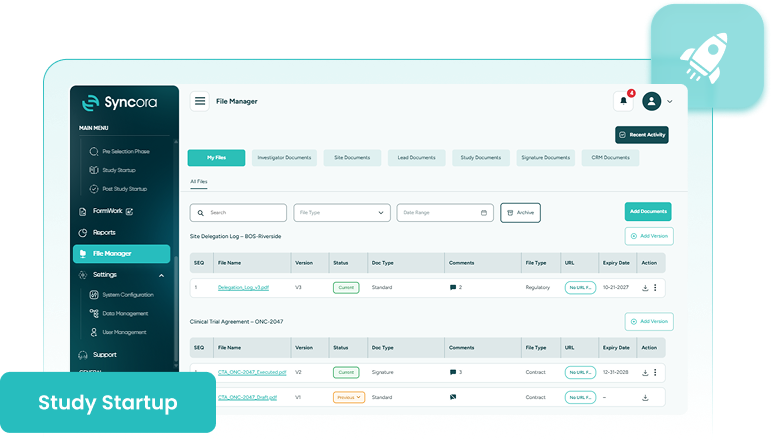
Syncora’s File Manager gathers every document, from investigator files to signed regulatory forms, organized by source and version, so your team always has the current file on hand.







Decide how every update is recorded.
File Manager organizes clinical trial document management by source, pulling files from investigators, sites, leads, studies, and your CRM into one workspace. Edit a file in place, or add a version that preserves the earlier one, with signature status tracked.

Organization

Traceability

Currency

Accountability
Book A Consultation
Still emailing the file back and forth?
A document gets edited, sent out, revised, and sent back, and soon enough, three different people are working from three different copies, with no way to tell which one is actually current.
That’s exactly what document version control is supposed to prevent, and it’s what File Manager actually delivers: open a file, and you’re already looking at the one that counts.
Explore Syncora
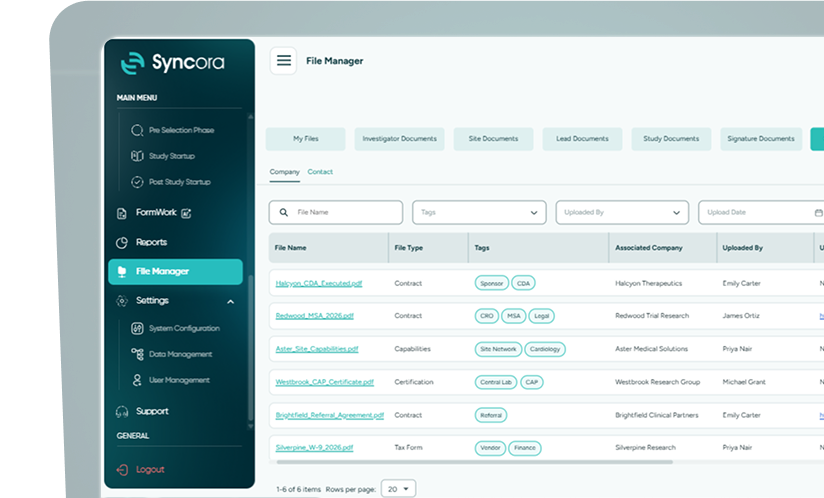
Inside File Manager
My Files
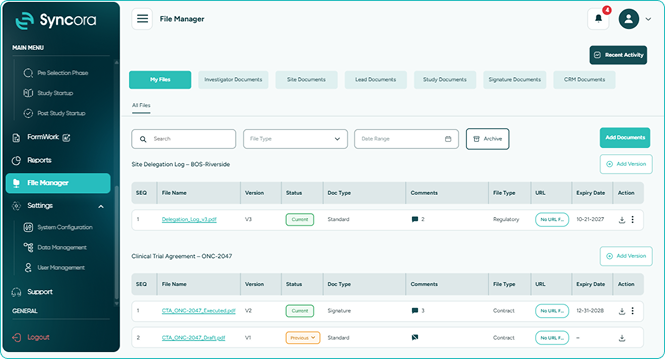
My Files holds every document you upload directly, searchable by file type or date, with version history and an archive for anything you don’t need visible right now.
- Search any file by type or date.
- Add a version when a file changes.
- Archive old files without losing history.
Book a Demo
Study Documents
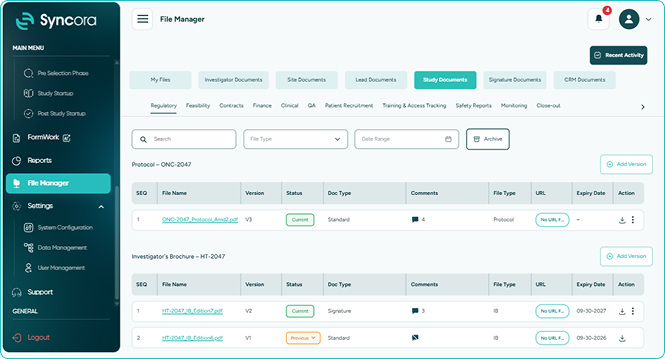
Study Documents offers centralized document storage for every file uploaded through Study Startup, so nothing about a study’s documentation needs re-uploading or duplicating elsewhere.
- Every study file in one view.
- Nothing gets manually re-uploaded.
- Pulled straight from Study Startup.
Book a Demo
Signature Documents
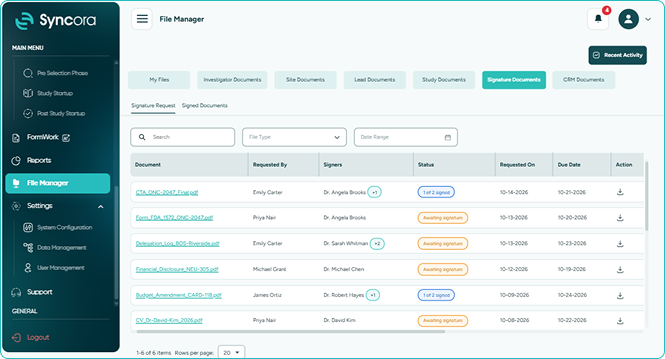
Signature Documents collects every file marked for e-signature at upload, so reviewers can open, sign, and save directly here, with a clear view of who’s signed and who hasn’t.
- Sign documents without leaving Syncora.
- Know exactly who hasn’t signed yet.
- Save signed files right here.
Book a Demo
How it works
Follow these simple steps to get started.
Search by file type or date to locate exactly what you need.
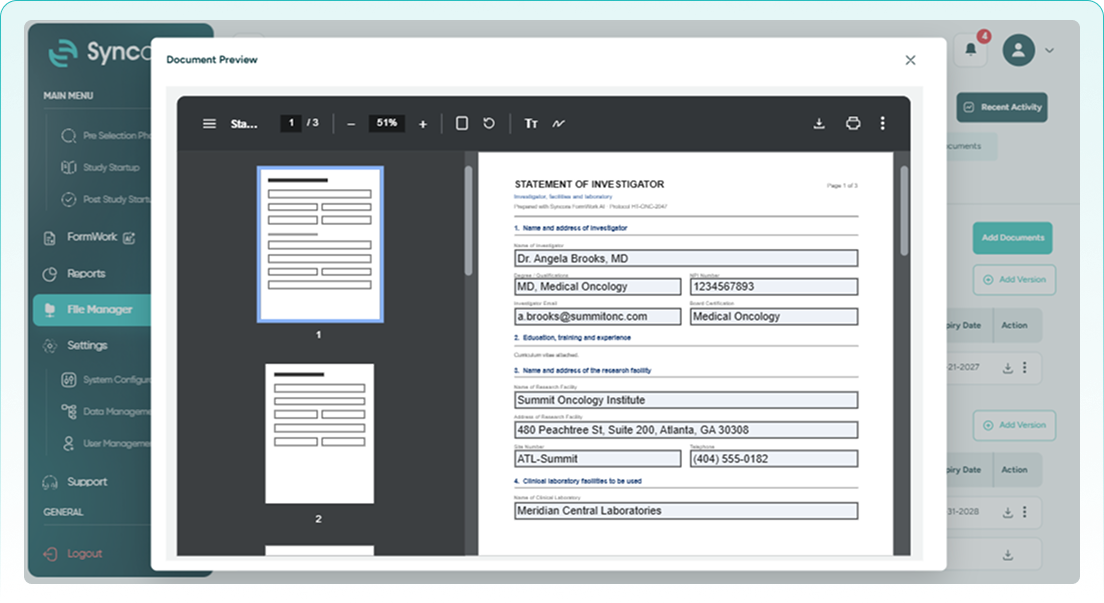
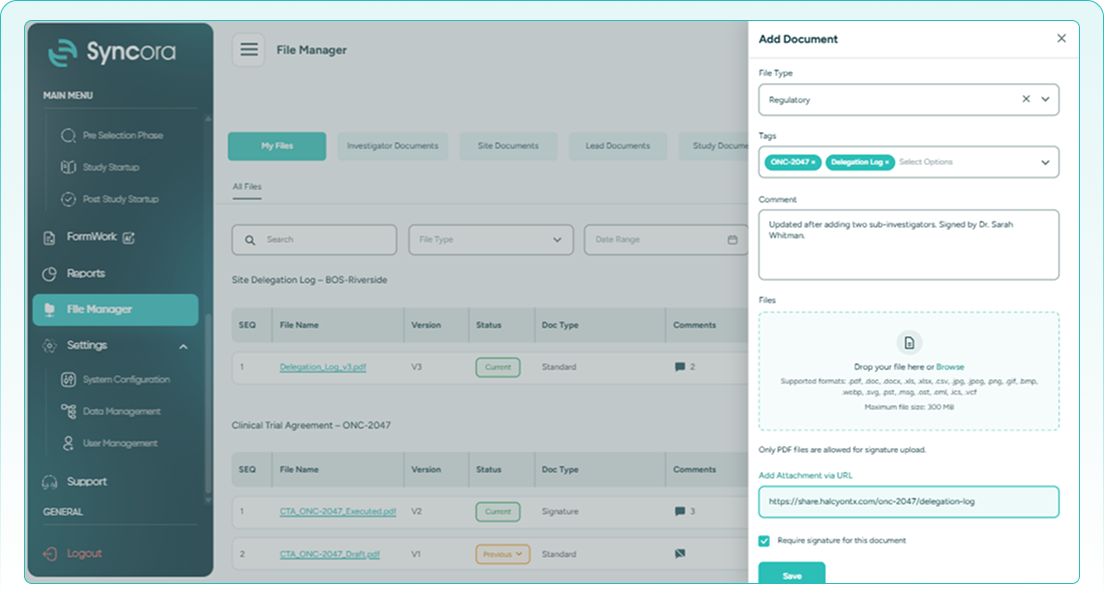
Click Add Documents or Add Version to start uploading a new file.
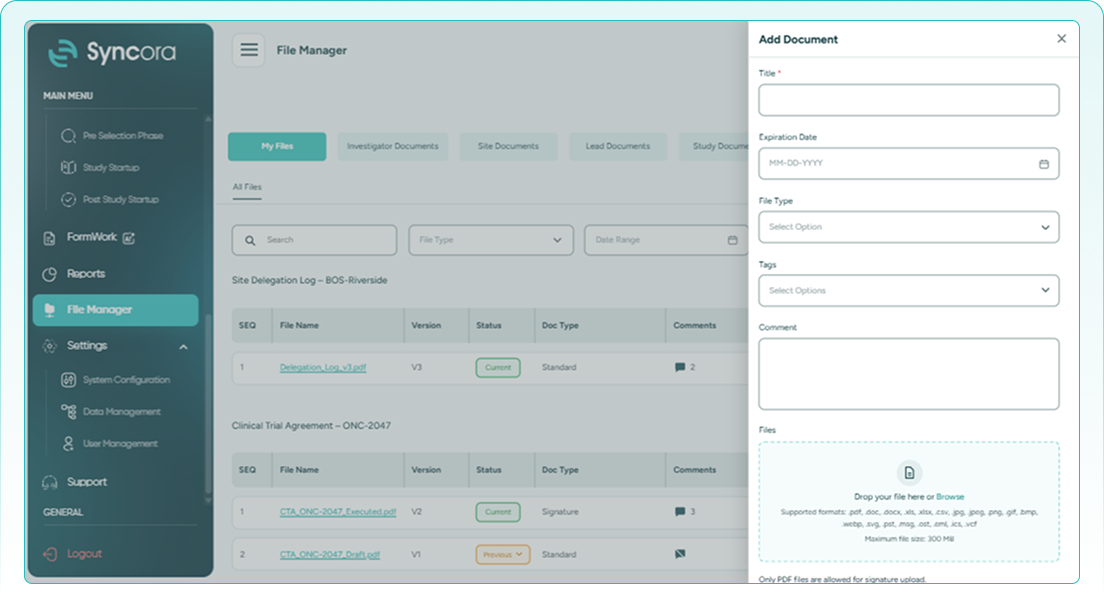
Enter the document type, comments, and any other relevant details.
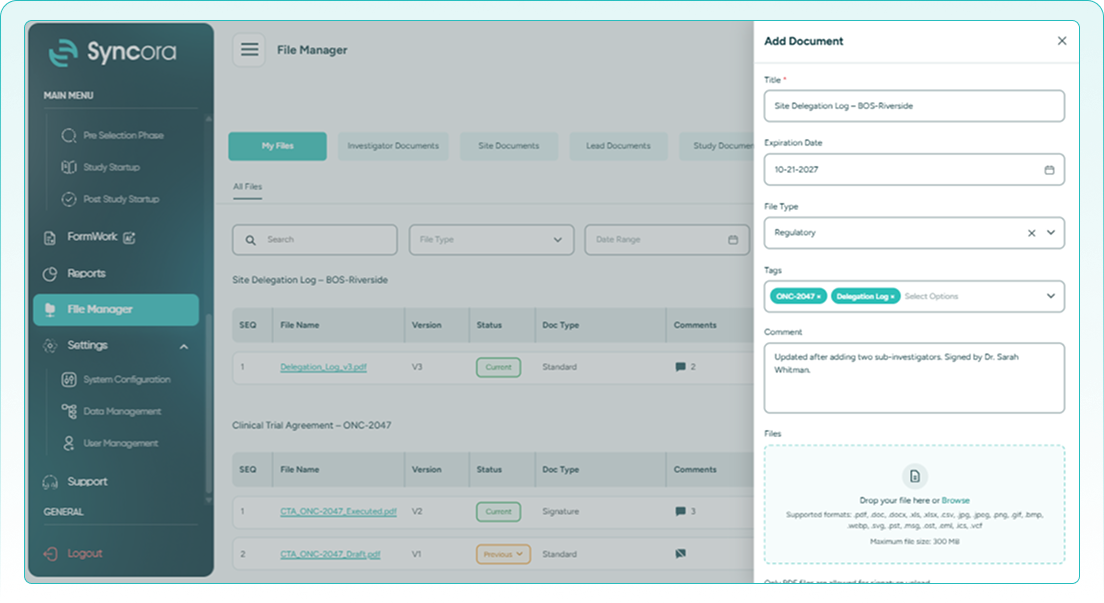
Upload the file directly, or link to it with a URL instead. Then click Save.
Book a Demo
Built for your team

Regulatory Affairs
Keeps every regulatory filing and its signature status in one place, version by version.

Clinical Operations
Pulls documents from every study automatically, with nothing to manually re-upload or track down.

Quality and Compliance
Reviews signature status and version history across every document without having to track anyone down.
Ready to stop chasing the right file?
No one should have to guess whether the file in front of them is the real one. Talk to our team about bringing every version, update, and signature into one dependable place.
Talk To Our Team
What changes when every version is accounted for?

Your team stops double-checking which file is current and starts trusting the one in front of them. File Manager ties every document to its source, its version, and its signature status, so less time goes into verifying and more into the actual work.
✔ Find it fast
Search any file by type or date whenever you need it.
✔ Choose your versions
Add a version whenever the earlier file should be retained.
✔ Track every signature
See exactly who’s signed and who still needs to.
30
% ↓
Faster document retrieval
25
% ↑
Fewer version conflicts
40
% ↑
Less time on signature delays
Frequently Asked Questions
What is File Manager?
File Manager organizes every document by source and version, pulling files from across Syncora into one workspace, with version history and signature tracking built in.
How do I add a new version of a file?
Click Add Version next to the file you’re updating, and the previous version stays on record. If you don’t need a new version, you can edit the existing file instead.
Can I search for a specific file?
Yes. Use the search bar, or filter by file type or date range to narrow results.
How does e-signature tracking work?
Mark a file for signature when you upload it. It appears under Signature Documents, where you can see who’s signed and who hasn’t.
Can I link a file instead of uploading it?
Yes. When adding a document, you can attach a file directly or add it as a URL instead.


