
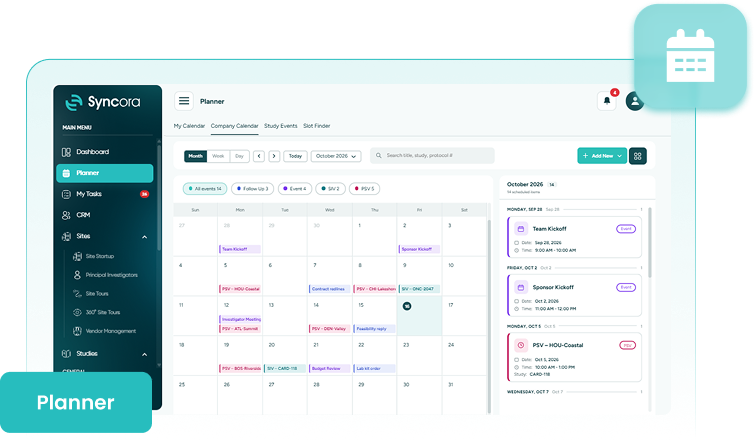
Planner brings calendars, follow-ups, and visit scheduling into one connected space, so teams stay aligned, never miss a date, and keep every study moving forward.







Keep every study commitment on track.
Syncora’s Planner gives every study a shared timeline. Clinical trial scheduling software brings calendars, follow-ups, and visit scheduling together, so teams see upcoming commitments, receive timely reminders, assign clear owners, and keep every study, site, and department moving in step.

Schedules

Planning

Coordination

Predictability
Book A Consultation
Still searching inboxes for visit dates?
Dates live in inboxes, follow-ups live in memory, and every visit takes a long chain of emails to confirm. Conflicts surface late; deadlines slip, and nobody knows who owns the next action.
Teams lose hours chasing availability while studies wait. Syncora’s clinical trial calendar feature puts commitments in one shared view, so teams stay prepared.
Explore Syncora
Inside Planner
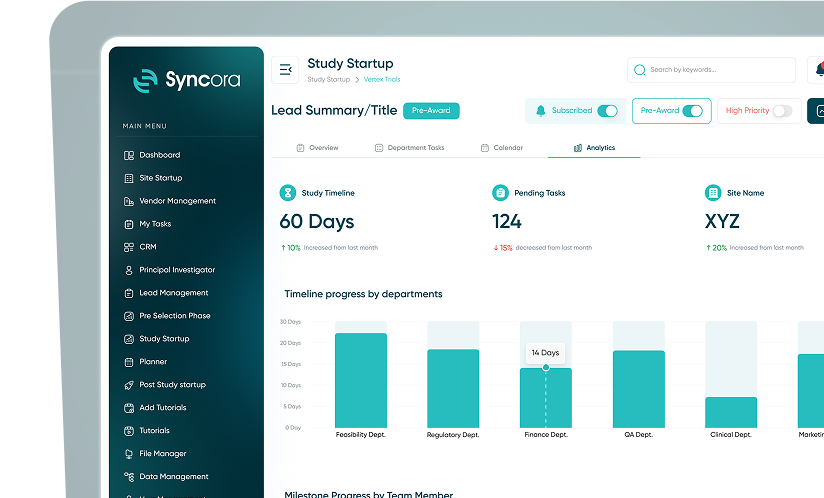
Calendars
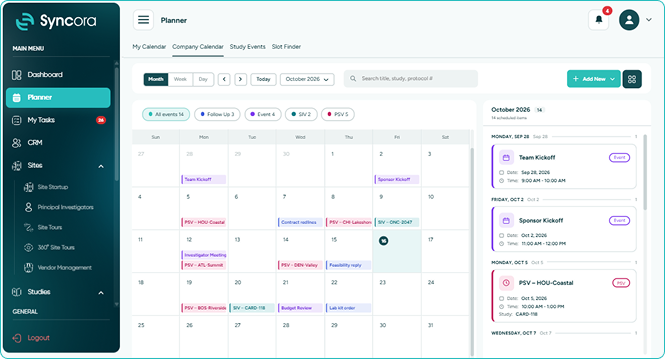
Bring study, site, and team activities into shared views. Company, CRM, and study calendars show visits, meetings, and deadlines, so teams spot conflicts and plan around busy periods.
- Spot scheduling conflicts before they happen.
- Keep a milestone calendar everyone shares.
- Coordinate across departments without chasing availability.
Book a Demo
Follow Ups
Record chasing, checking, and confirming actions with due dates, priorities, and owners. Reminders power follow-up tracking that clinical trials depend on, so no task or communication slips through.
- Assign owners, priorities, and due dates.
- Receive reminders before and after deadlines.
- Complete or reopen follow-ups with ease.
Book a Demo
Event Scheduling
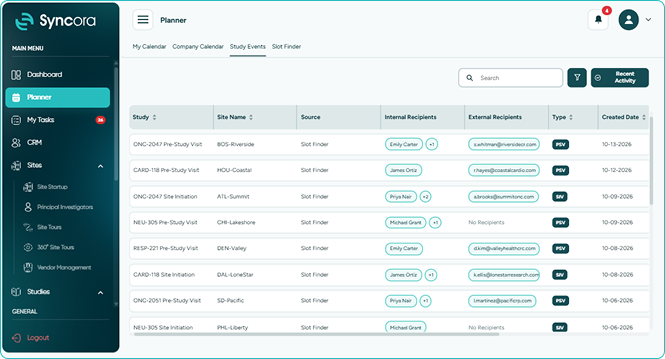
Manage PSVs and SIVs inside Syncora, from requesting availability to confirming dates. Event scheduling that clinical research teams trust keeps sponsors, CROs, site staff, and investigators fully informed throughout.
- Make study visit scheduling truly effortless.
- Show visits on shared team calendars.
- Reschedule or cancel with everyone notified.
Book a Demo
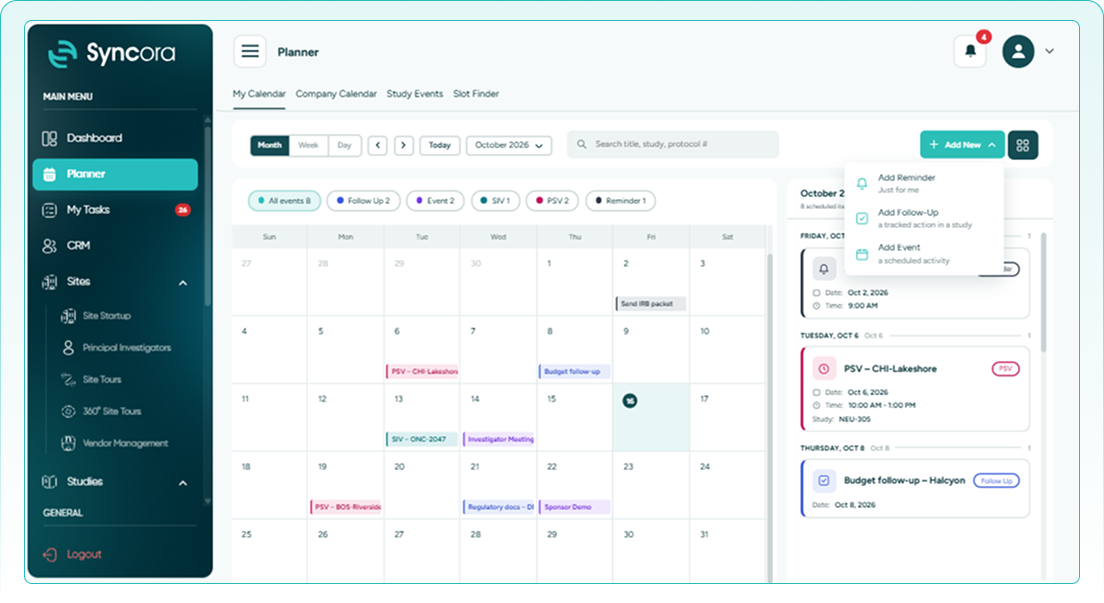
How it works
See it, plan it, and track it.
-
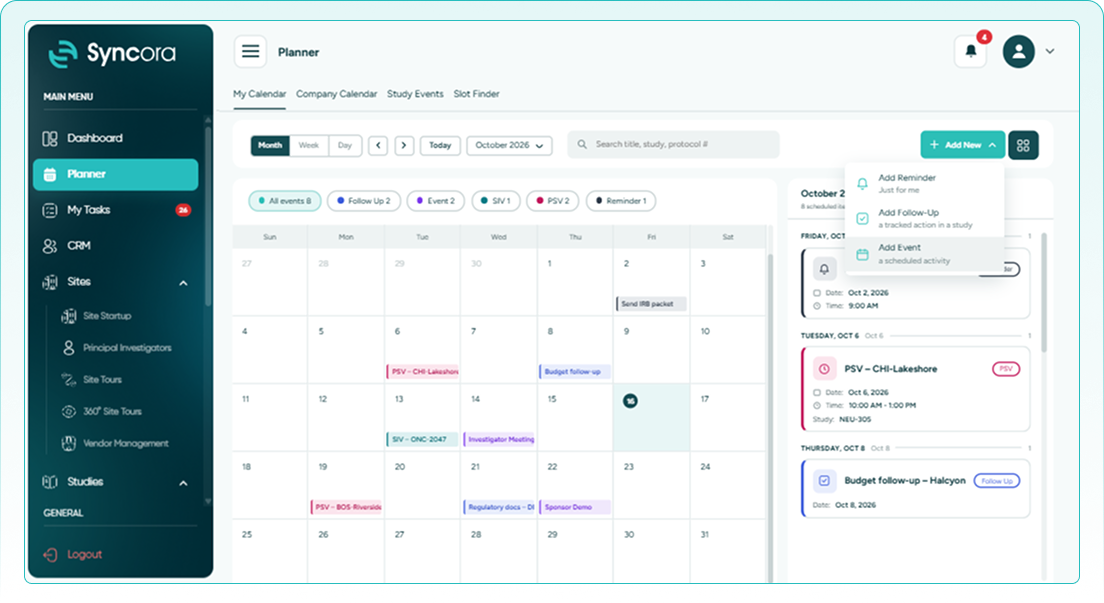
1Open the shared planner.
-
2Click Add New to start.
-
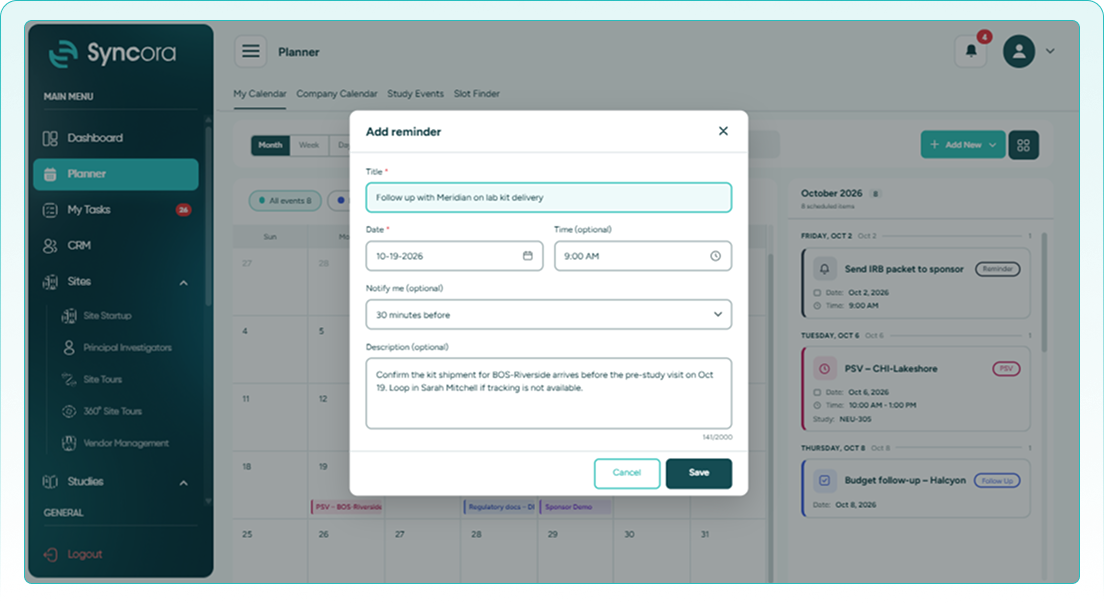
3 Add a personal reminder.
-
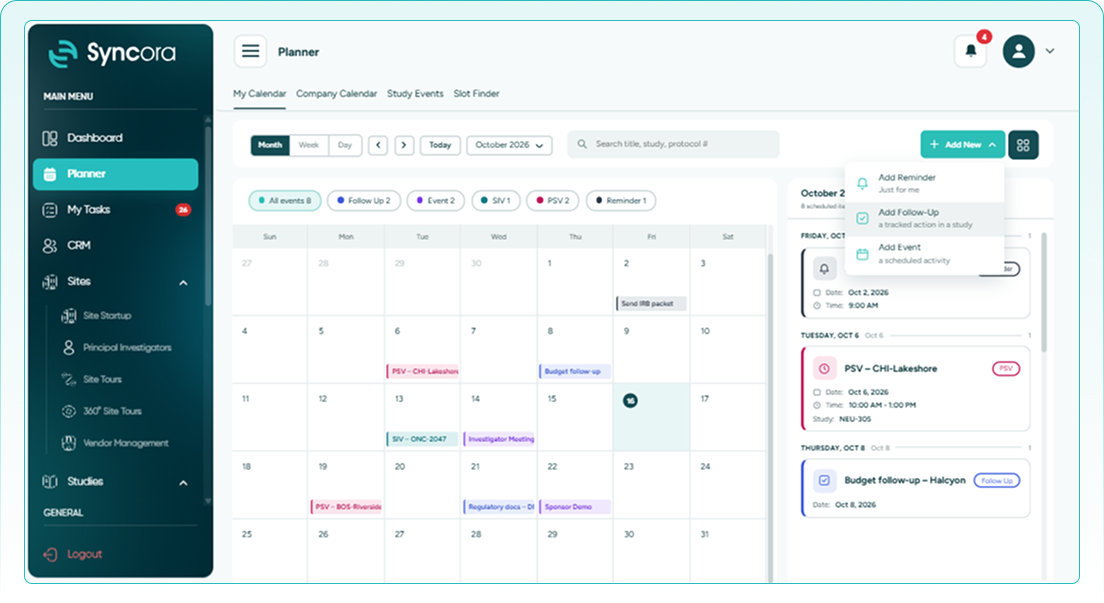
4Add a study follow-up.
-
5Add a scheduled event.
Access every calendar, follow-up, and event from one shared place.
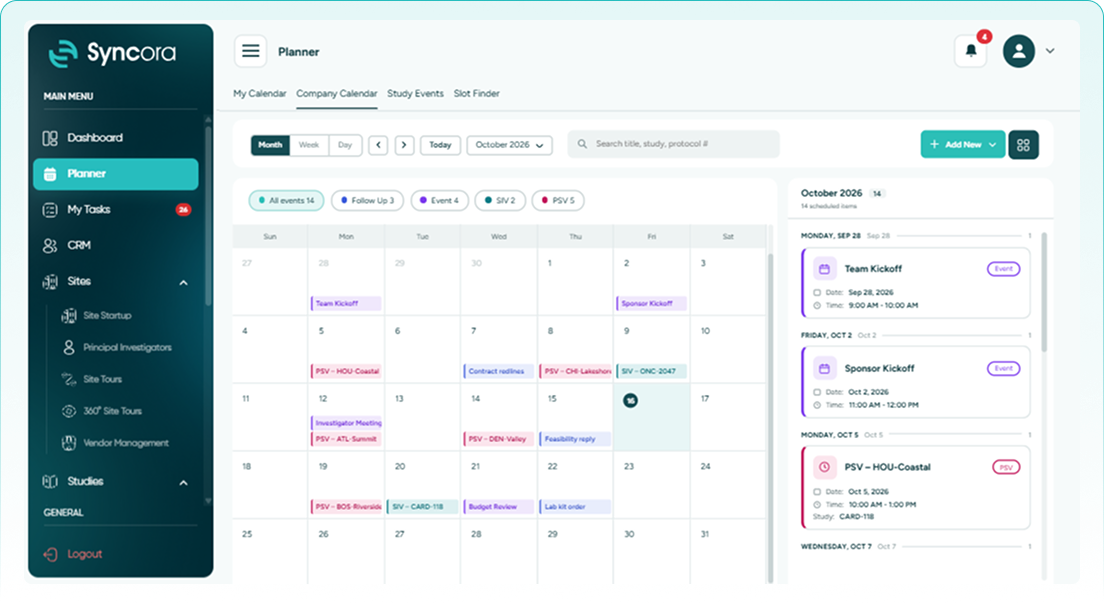
Choose to quickly add a new reminder, follow-up, or event.
Create a private reminder visible only to you, right now.
Log a tracked action tied directly to a specific study.
Schedule an activity like a visit, meeting, or key deadline.
Book a Demo
Built for your team

Clinical Project Managers
Keep timelines on track with clinical trial task scheduling, so every action has an owner.

Clinical Trial Coordinators
Organize visits, reminders, and follow-ups in one shared view, so nothing depends on memory.

Quality and Compliance Teams
Monitor overdue actions and scheduled visits through a traceable record, so gaps surface early.
Is Your Team Truly Aligned?
Missed dates and forgotten follow-ups quietly slow every study. Speak with our specialists to explore how Syncora’s Planner keeps schedules, actions, and visits aligned, so your teams always know what happens next.
Talk To Our Team
Why Studies Slip Without Structure<

Without clinical trial scheduling feature, teams juggle disconnected calendars, forgotten follow-ups, and email-based visit coordination. Important dates slip; owners lose track, and delays surface too late. Planner gives everyone one dependable view, so commitments stay visible, actions stay owned, and studies stay moving.
✔ Never Miss Dates
Prevent missed dates using shared calendars and timely automatic reminders.
✔ Schedule Visits Faster
Coordinate visits faster without long email chains or availability chasing.
✔ Close Every Loop
Keep actions owned, prioritized, and completed before they become overdue.
30
% ↓
Fewer missed key dates
25
% ↑
Less time scheduling visits
40
% ↑
Visibility of upcoming commitments
Frequently Asked Questions
What is Planner in Syncora?
Planner combines calendars, follow-ups, and event scheduling in one place, so teams see upcoming commitments, track pending actions, and keep studies moving on schedule.
Which calendars are available in Planner?
Syncora offers a Company Calendar for organization-wide dates, a CRM Calendar for sponsor and partner meetings, and a study calendar showing scheduled visits like PSVs and SIVs.
How do Follow Ups work?
Users record actions with a due date, priority, and owner, optionally linked to a task, and reminders notify the assignee before and after the deadline.
Can Planner schedule PSVs and SIVs?
Yes. Event Scheduling manages visits from requesting availability to confirming dates and notifying every participant, with visits linked to their study and site.
What happens when a scheduled visit changes?
Rescheduling or cancelling a visit automatically keeps every participant informed, including external attendees, so the whole team stays aligned without extra emails.


