
From the moment a study lead arrives to the day your site activates, Syncora’s Study Startup keeps every task, owner, and deadline organized in one workflow.







Turn every startup task into progress.
Study Startup feature brings leads, tasks, and templates together in one clinical trial startup management workflow. Every activity carries an owner, a status, and a deadline, giving teams a single, reliable view of what’s finished, what’s pending, and what’s coming next.

Visibility

Accountability

Momentum

Structure
Book A Consultation
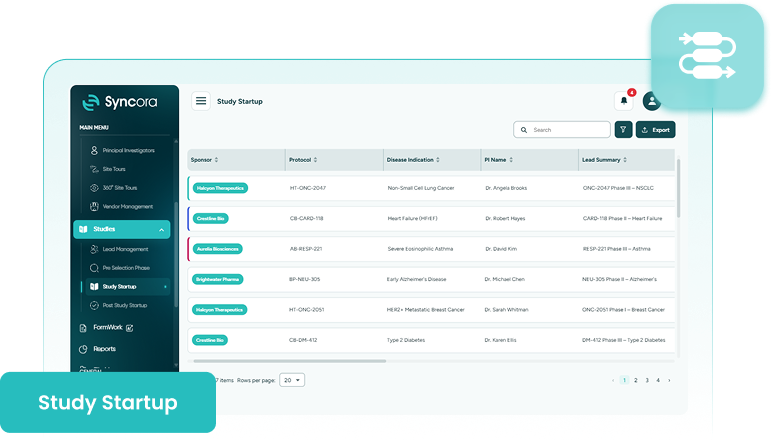
Do you still chase updates from every department?
Traditional study startup spans dozens of activities across regulatory, contracts, budgets, and feasibility, scattered across different departments and communication threads, with no way to know what’s actually moving.
On the other hand, Syncora’s startup task management pulls every activity into a single system, so managers can see instantly what’s complete, underway, or stuck, without chasing anyone for an update.
Explore Syncora
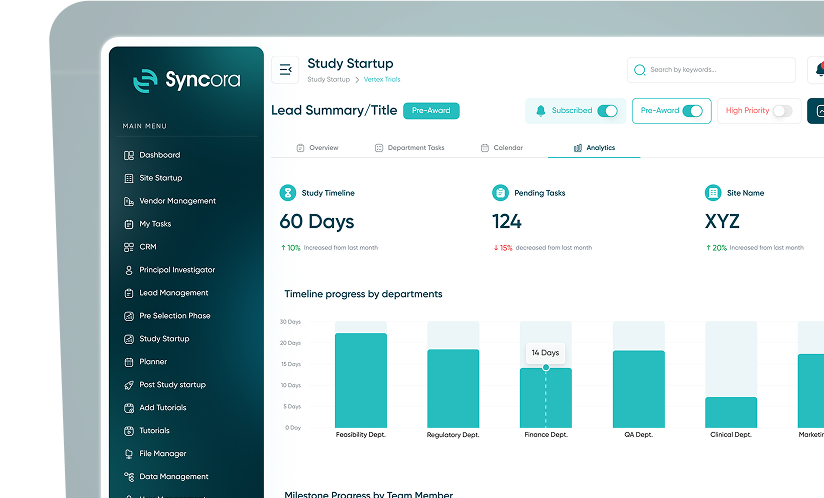
Inside Study Startup
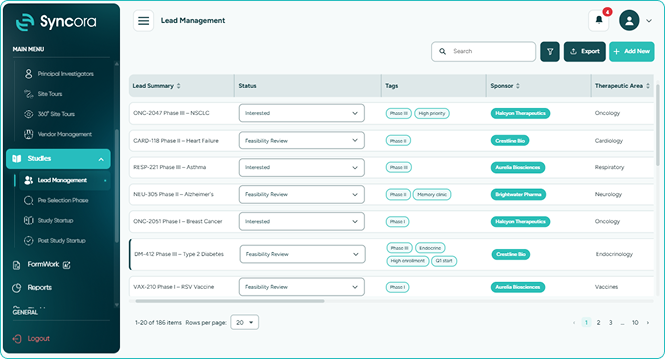
Lead Management
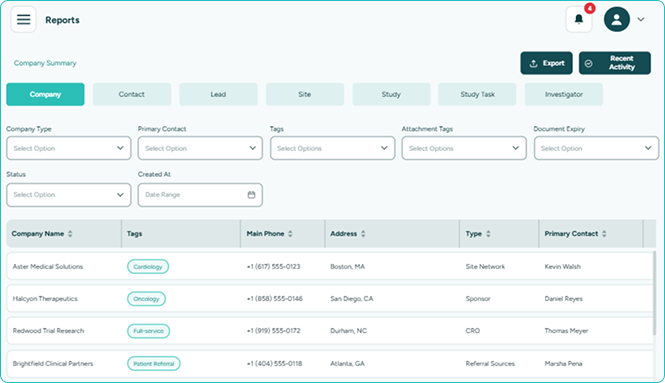
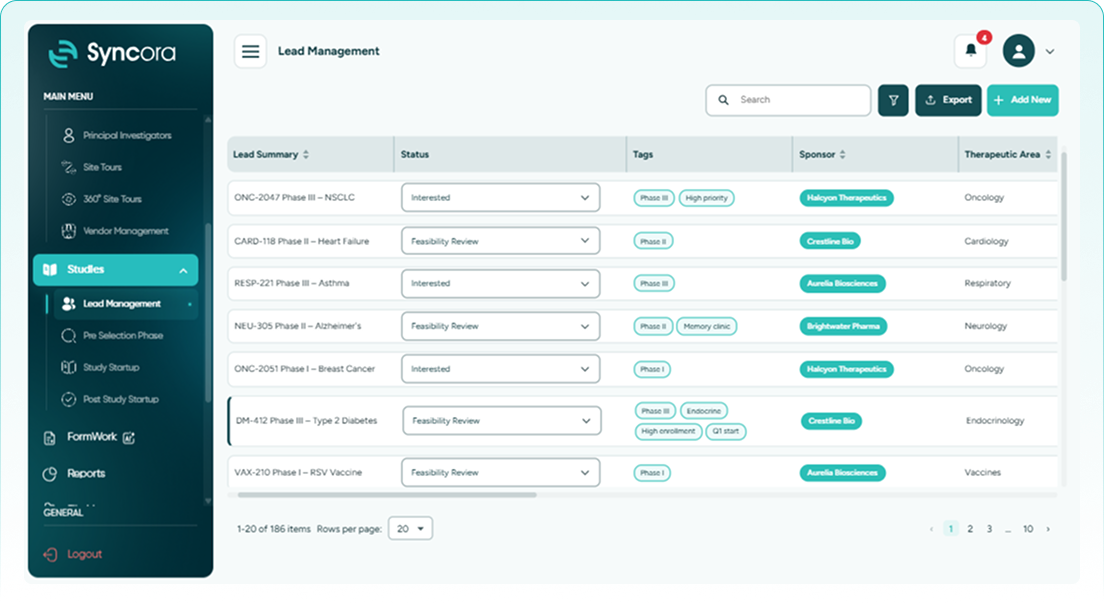
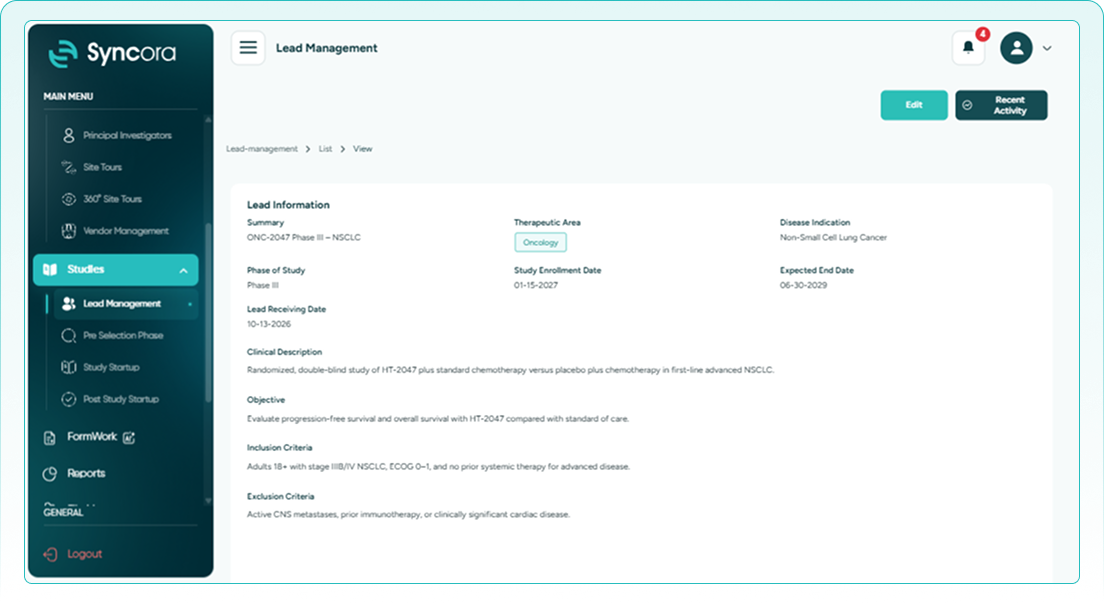
Every opportunity gets captured the moment it arrives, moving through a pipeline with its own status, tags, owner, and follow-ups. Timers show how long each lead has waited at any stage.
- See exactly where every lead stands.
- Track how many leads actually convert.
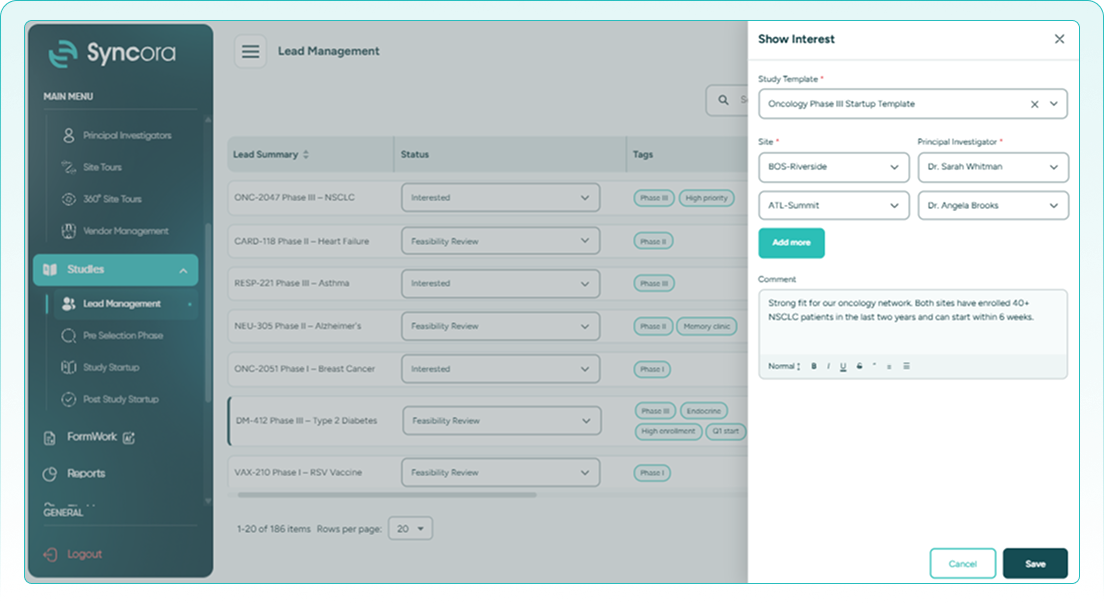
- Move awarded leads without re-entering data.
Book a Demo
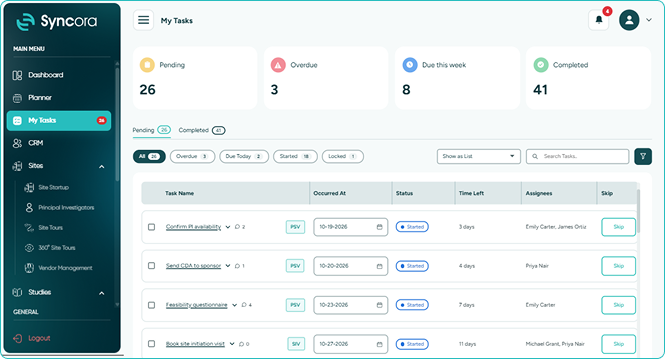
Task Manager
Task manager adapts to how work actually gets done, whether that’s a checkbox, checklist, file upload, comment, or form. Each teammate sees exactly what’s assigned to them.
- Capture work exactly how it happens.
- See progress across studies and sites.
- Find your tasks in My Tasks.
Book a Demo
Templates
Templates let you define departments, tasks, and trainings once, then reuse them across new studies, in as many templates as your organization needs, so every new study arrives ready to work.
- Stop rebuilding the same setup twice.
- Keep separate templates for different study types.
- Standardize every process without losing flexibility.
Book a Demo
How it works
Set it up once and run repeatedly.
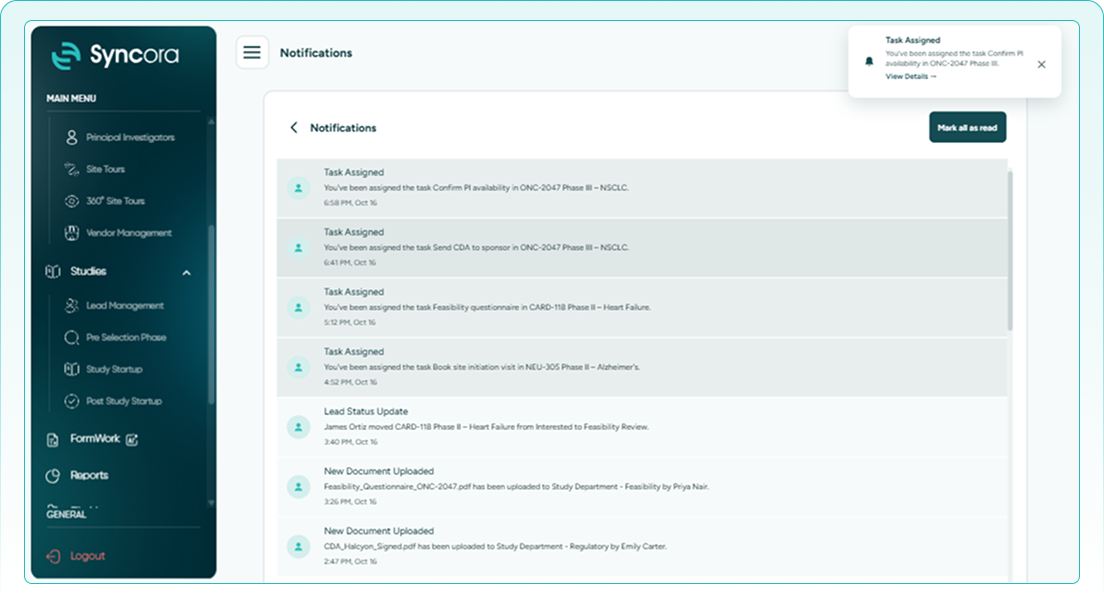
A new lead lands in the system and starts moving immediately.
Departments, tasks, and trainings populate automatically from your saved template.
Nothing falls through unnoticed, no matter how many studies are running.
Complete tasks in one view until the site is ready.
Book a Demo
Built for your team

Business Development
Owns the lead pipeline from first opportunity to awarded study, with full visibility into what’s converting and what’s stalled.

Regulatory & Startup Operations
Runs the day-to-day task work, regulatory, contracts, budgets, and feasibility, keeping every department’s piece of the process moving.

Process & Quality
Builds and maintains different templates, keeping departments, tasks, and workflows standardized across every study.
See your study startup in action with Syncora.
our team about giving each department a clear path forward, together, right from the first day.
Talk To Our Team
What does Syncora’s Study Startup actually deliver?

Startup work rarely fails from a single big mistake. It fails from small things slipping through: a task no one owned, a lead left waiting, a process rebuilt from scratch each time. Our Study Startup feature closes those gaps, so studies move forward on schedule, every time.
✔ Own every task
Give every task a clear owner from the very first day.
✔ Move leads instantly
Convert a qualified lead into an active study the same day it’s awarded.
✔ Standardize every setup
Give every new study the same reliable foundation to start from.
30
% ↓
Faster study activation
25
% ↑
Fewer missed deadlines
40
% ↑
Less manual rework
Frequently Asked Questions
What is Study Startup feature?
Study Startup brings lead management, task tracking, and templates into one workflow, giving teams a single view of every study’s progress from first opportunity through activation.
How does lead management fit into Study Startup?
Every study begins as a lead, with a configurable status, owner, and timers showing how long it’s waited at each stage. Awarded leads move directly into the startup workflow.
Can startup tasks take different forms?
Yes. A task can be a checkbox, checklist, file upload, comment, or form, whichever matches how that specific piece of work actually gets completed.
Can I create more than one template?
Yes. You can maintain as many templates as needed for different study types, each pre-populated with its own departments, tasks, and workflows.
Who can see startup progress across a study?
Each team member sees their own assignments, while managers get visibility across studies, departments, and sites to keep timelines on track.


